

Aurélien Grimaud
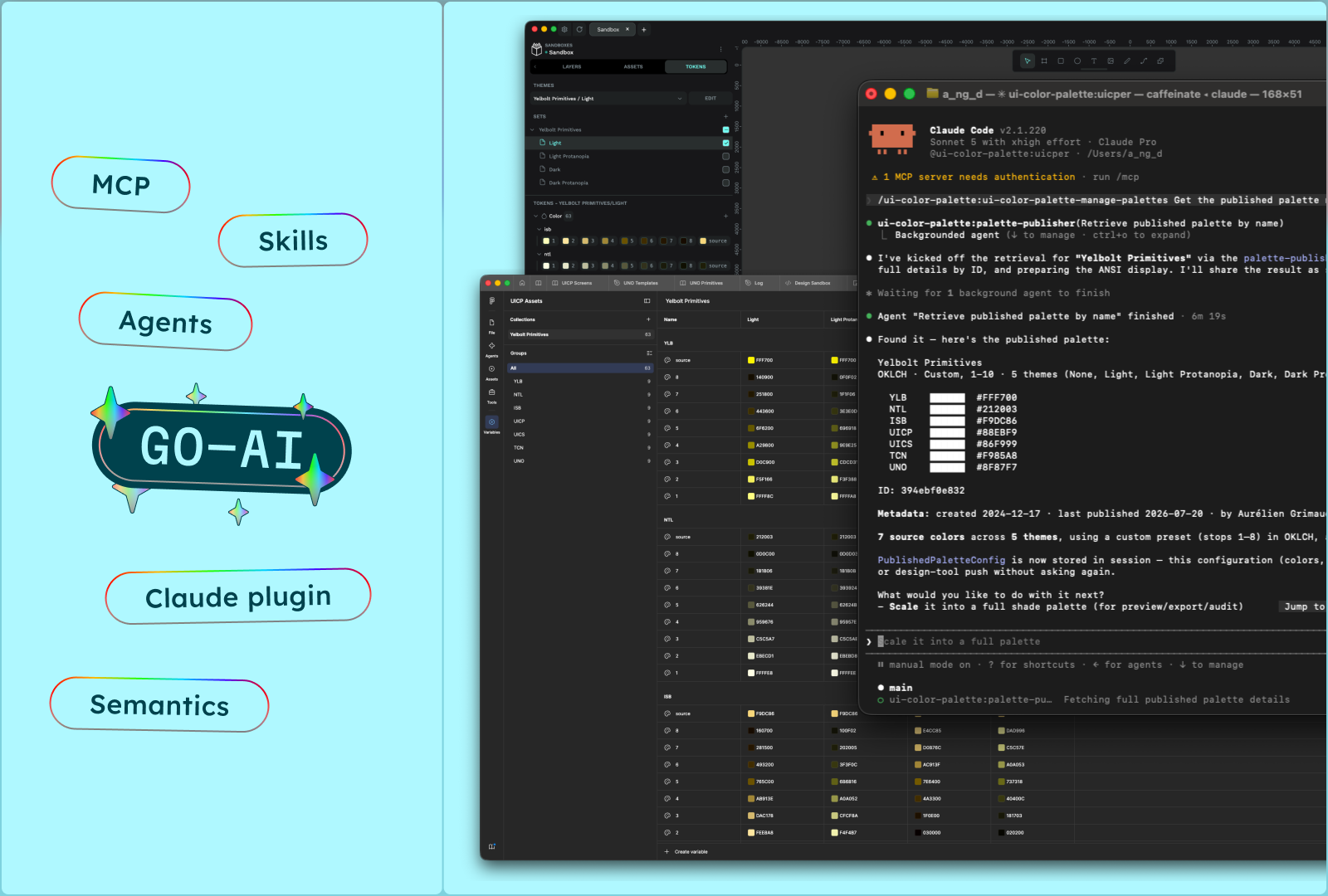
Color palettes are foundational — but building, auditing, and deploying them is still painfully manual. What if your AI agent could handle the entire pipeline?
UI Color Palette now ships a complete agentic layer that connects to any MCP-compatible AI agent — Claude, Claude Code, or the coding assistant running in your IDE. No plugin UI, no context switching. Just describe what you need.
It comes in three pieces:
- The MCP server — the universal entry point for any agent
- Skills on skills.sh — ready-to-use skills that teach your agent to reason about color, contrast, and tokens
- The Claude plugin — agents, skills, and preconfigured MCP servers bundled together, on the Yelbolt marketplace
Here are the three workflows you can run today.
1 · Deploy a color system to your design tool
Building a color system means juggling source colors, lightness scales, and semantic mappings — then re-entering everything by hand.
Start visual, then go agentic:
- Create your palette in the UI Color Palette plugin — pick brand colors, scale them into accessible shades, audit contrast with WCAG 2.1 & APCA
- Switch to your AI agent — define your taxonomy conversationally (surface, primary, error, warning, success) and build light/dark modes
- Push to your tool — as Figma variables and styles, or as Penpot design tokens that sync natively with themes
Visual editing for precision, agentic deployment for speed: an afternoon of manual work becomes a few minutes.
2 · Generate W3C tokens & Tailwind V4 from your IDE
Designers build palettes, developers need code — and the handoff usually happens through screenshots, hex lists in Slack, or hand-edited JSON.
Connect the MCP server to the coding agent you already work with, right inside your IDE — VS Code is the most common setup, but any IDE works:
- Start from a palette — import the one your designer created, or start from scratch with a prompt
- Build the taxonomy — map your shades to semantic tokens, with light/dark modes
- Generate production-ready code — W3C Design Tokens (DTCG) for any pipeline, and a Tailwind V4 config with CSS custom properties
Tokens become the single source of truth: update the palette, regenerate, push to your repo.
3 · Manage color at scale with the Claude plugin
A generic agent spends tokens on broad context and lacks specialized color knowledge. The UI Color Palette Claude plugin, on the Yelbolt marketplace, packages everything into one focused experience — primitive palettes to a complete semantic system in a single conversation.
What's inside:
- Agents and sub-agents with precise tasks — generation, contrast auditing, export, deployment. Narrow scopes mean faster results and lower token consumption
- Preconfigured skills — lightness scales, semantic naming, accessibility audits, platform exports
- Connected MCP servers for every design tool — Figma, Penpot, Sketch, Framer — plus GitHub and GitLab to push tokens straight to your repos
- Deep palette editing through conversation — adjust any shade or token and get recommendations: "this orange fails AA on dark backgrounds — here's a value that passes"
Available now on Claude. Install the Claude plugin →
Get started in 2 minutes
Compose your setup à la carte:
- 🔌 MCP server — connect https://mcp.ui-color-palette.com/mcp to any agent and start prompting
- 🧠 Skills — pick what you need from our skills.sh collection, or install them all
- 🧩 Claude plugin — the all-in-one option: install it from the Yelbolt marketplace →
- 📖 Reference — read the MCP documentation →
There's more to explore: palette import from Coolors and Realtime Colors, colorblindness simulations, cloud publishing, community browsing.
And tell us what you think — this is a first release, and your feedback drives what we build next: share it here →.
Want to see it first? We walked through workflow 1 step by step on LinkedIn: watch how it works →. Follow UI Color Palette for more workflows like it.

Aurélien Grimaud
Color palettes are foundational — but building, auditing, and deploying them is still painfully manual. What if your AI agent could handle the entire pipeline?
UI Color Palette now ships a complete agentic layer that connects to any MCP-compatible AI agent — Claude, Claude Code, or the coding assistant running in your IDE. No plugin UI, no context switching. Just describe what you need.
It comes in three pieces:
- The MCP server — the universal entry point for any agent
- Skills on skills.sh — ready-to-use skills that teach your agent to reason about color, contrast, and tokens
- The Claude plugin — agents, skills, and preconfigured MCP servers bundled together, on the Yelbolt marketplace
Here are the three workflows you can run today.
1 · Deploy a color system to your design tool
Building a color system means juggling source colors, lightness scales, and semantic mappings — then re-entering everything by hand.
Start visual, then go agentic:
- Create your palette in the UI Color Palette plugin — pick brand colors, scale them into accessible shades, audit contrast with WCAG 2.1 & APCA
- Switch to your AI agent — define your taxonomy conversationally (surface, primary, error, warning, success) and build light/dark modes
- Push to your tool — as Figma variables and styles, or as Penpot design tokens that sync natively with themes
Visual editing for precision, agentic deployment for speed: an afternoon of manual work becomes a few minutes.
2 · Generate W3C tokens & Tailwind V4 from your IDE
Designers build palettes, developers need code — and the handoff usually happens through screenshots, hex lists in Slack, or hand-edited JSON.
Connect the MCP server to the coding agent you already work with, right inside your IDE — VS Code is the most common setup, but any IDE works:
- Start from a palette — import the one your designer created, or start from scratch with a prompt
- Build the taxonomy — map your shades to semantic tokens, with light/dark modes
- Generate production-ready code — W3C Design Tokens (DTCG) for any pipeline, and a Tailwind V4 config with CSS custom properties
Tokens become the single source of truth: update the palette, regenerate, push to your repo.
3 · Manage color at scale with the Claude plugin
A generic agent spends tokens on broad context and lacks specialized color knowledge. The UI Color Palette Claude plugin, on the Yelbolt marketplace, packages everything into one focused experience — primitive palettes to a complete semantic system in a single conversation.
What's inside:
- Agents and sub-agents with precise tasks — generation, contrast auditing, export, deployment. Narrow scopes mean faster results and lower token consumption
- Preconfigured skills — lightness scales, semantic naming, accessibility audits, platform exports
- Connected MCP servers for every design tool — Figma, Penpot, Sketch, Framer — plus GitHub and GitLab to push tokens straight to your repos
- Deep palette editing through conversation — adjust any shade or token and get recommendations: "this orange fails AA on dark backgrounds — here's a value that passes"
Available now on Claude. Install the Claude plugin →
Get started in 2 minutes
Compose your setup à la carte:
- 🔌 MCP server — connect https://mcp.ui-color-palette.com/mcp to any agent and start prompting
- 🧠 Skills — pick what you need from our skills.sh collection, or install them all
- 🧩 Claude plugin — the all-in-one option: install it from the Yelbolt marketplace →
- 📖 Reference — read the MCP documentation →
There's more to explore: palette import from Coolors and Realtime Colors, colorblindness simulations, cloud publishing, community browsing.
And tell us what you think — this is a first release, and your feedback drives what we build next: share it here →.
Want to see it first? We walked through workflow 1 step by step on LinkedIn: watch how it works →. Follow UI Color Palette for more workflows like it.

Aurélien Grimaud
Color palettes are foundational — but building, auditing, and deploying them is still painfully manual. What if your AI agent could handle the entire pipeline?
UI Color Palette now ships a complete agentic layer that connects to any MCP-compatible AI agent — Claude, Claude Code, or the coding assistant running in your IDE. No plugin UI, no context switching. Just describe what you need.
It comes in three pieces:
- The MCP server — the universal entry point for any agent
- Skills on skills.sh — ready-to-use skills that teach your agent to reason about color, contrast, and tokens
- The Claude plugin — agents, skills, and preconfigured MCP servers bundled together, on the Yelbolt marketplace
Here are the three workflows you can run today.
1 · Deploy a color system to your design tool
Building a color system means juggling source colors, lightness scales, and semantic mappings — then re-entering everything by hand.
Start visual, then go agentic:
- Create your palette in the UI Color Palette plugin — pick brand colors, scale them into accessible shades, audit contrast with WCAG 2.1 & APCA
- Switch to your AI agent — define your taxonomy conversationally (surface, primary, error, warning, success) and build light/dark modes
- Push to your tool — as Figma variables and styles, or as Penpot design tokens that sync natively with themes
Visual editing for precision, agentic deployment for speed: an afternoon of manual work becomes a few minutes.
2 · Generate W3C tokens & Tailwind V4 from your IDE
Designers build palettes, developers need code — and the handoff usually happens through screenshots, hex lists in Slack, or hand-edited JSON.
Connect the MCP server to the coding agent you already work with, right inside your IDE — VS Code is the most common setup, but any IDE works:
- Start from a palette — import the one your designer created, or start from scratch with a prompt
- Build the taxonomy — map your shades to semantic tokens, with light/dark modes
- Generate production-ready code — W3C Design Tokens (DTCG) for any pipeline, and a Tailwind V4 config with CSS custom properties
Tokens become the single source of truth: update the palette, regenerate, push to your repo.
3 · Manage color at scale with the Claude plugin
A generic agent spends tokens on broad context and lacks specialized color knowledge. The UI Color Palette Claude plugin, on the Yelbolt marketplace, packages everything into one focused experience — primitive palettes to a complete semantic system in a single conversation.
What's inside:
- Agents and sub-agents with precise tasks — generation, contrast auditing, export, deployment. Narrow scopes mean faster results and lower token consumption
- Preconfigured skills — lightness scales, semantic naming, accessibility audits, platform exports
- Connected MCP servers for every design tool — Figma, Penpot, Sketch, Framer — plus GitHub and GitLab to push tokens straight to your repos
- Deep palette editing through conversation — adjust any shade or token and get recommendations: "this orange fails AA on dark backgrounds — here's a value that passes"
Available now on Claude. Install the Claude plugin →
Get started in 2 minutes
Compose your setup à la carte:
- 🔌 MCP server — connect https://mcp.ui-color-palette.com/mcp to any agent and start prompting
- 🧠 Skills — pick what you need from our skills.sh collection, or install them all
- 🧩 Claude plugin — the all-in-one option: install it from the Yelbolt marketplace →
- 📖 Reference — read the MCP documentation →
There's more to explore: palette import from Coolors and Realtime Colors, colorblindness simulations, cloud publishing, community browsing.
And tell us what you think — this is a first release, and your feedback drives what we build next: share it here →.
Want to see it first? We walked through workflow 1 step by step on LinkedIn: watch how it works →. Follow UI Color Palette for more workflows like it.

Aurélien Grimaud
Color palettes are foundational — but building, auditing, and deploying them is still painfully manual. What if your AI agent could handle the entire pipeline?
UI Color Palette now ships a complete agentic layer that connects to any MCP-compatible AI agent — Claude, Claude Code, or the coding assistant running in your IDE. No plugin UI, no context switching. Just describe what you need.
It comes in three pieces:
- The MCP server — the universal entry point for any agent
- Skills on skills.sh — ready-to-use skills that teach your agent to reason about color, contrast, and tokens
- The Claude plugin — agents, skills, and preconfigured MCP servers bundled together, on the Yelbolt marketplace
Here are the three workflows you can run today.
1 · Deploy a color system to your design tool
Building a color system means juggling source colors, lightness scales, and semantic mappings — then re-entering everything by hand.
Start visual, then go agentic:
- Create your palette in the UI Color Palette plugin — pick brand colors, scale them into accessible shades, audit contrast with WCAG 2.1 & APCA
- Switch to your AI agent — define your taxonomy conversationally (surface, primary, error, warning, success) and build light/dark modes
- Push to your tool — as Figma variables and styles, or as Penpot design tokens that sync natively with themes
Visual editing for precision, agentic deployment for speed: an afternoon of manual work becomes a few minutes.
2 · Generate W3C tokens & Tailwind V4 from your IDE
Designers build palettes, developers need code — and the handoff usually happens through screenshots, hex lists in Slack, or hand-edited JSON.
Connect the MCP server to the coding agent you already work with, right inside your IDE — VS Code is the most common setup, but any IDE works:
- Start from a palette — import the one your designer created, or start from scratch with a prompt
- Build the taxonomy — map your shades to semantic tokens, with light/dark modes
- Generate production-ready code — W3C Design Tokens (DTCG) for any pipeline, and a Tailwind V4 config with CSS custom properties
Tokens become the single source of truth: update the palette, regenerate, push to your repo.
3 · Manage color at scale with the Claude plugin
A generic agent spends tokens on broad context and lacks specialized color knowledge. The UI Color Palette Claude plugin, on the Yelbolt marketplace, packages everything into one focused experience — primitive palettes to a complete semantic system in a single conversation.
What's inside:
- Agents and sub-agents with precise tasks — generation, contrast auditing, export, deployment. Narrow scopes mean faster results and lower token consumption
- Preconfigured skills — lightness scales, semantic naming, accessibility audits, platform exports
- Connected MCP servers for every design tool — Figma, Penpot, Sketch, Framer — plus GitHub and GitLab to push tokens straight to your repos
- Deep palette editing through conversation — adjust any shade or token and get recommendations: "this orange fails AA on dark backgrounds — here's a value that passes"
Available now on Claude. Install the Claude plugin →
Get started in 2 minutes
Compose your setup à la carte:
- 🔌 MCP server — connect https://mcp.ui-color-palette.com/mcp to any agent and start prompting
- 🧠 Skills — pick what you need from our skills.sh collection, or install them all
- 🧩 Claude plugin — the all-in-one option: install it from the Yelbolt marketplace →
- 📖 Reference — read the MCP documentation →
There's more to explore: palette import from Coolors and Realtime Colors, colorblindness simulations, cloud publishing, community browsing.
And tell us what you think — this is a first release, and your feedback drives what we build next: share it here →.
Want to see it first? We walked through workflow 1 step by step on LinkedIn: watch how it works →. Follow UI Color Palette for more workflows like it.